
Fix Globe and TM Registration Errors (Selfie Problem, Registration Failed)
During the registration of a Globe or TM SIM, you may encounter errors such as ‘registration failed’ or ‘upload picture less than 2 MB.’ These can be easily resolved. Make sure you input all the required information correctly. To resolve the picture error, first, capture the image with your camera, then take a screenshot of that photo. This will reduce its size. Here are common Globe and TM SIM registration errors and their solutions.
Errors and Solutions
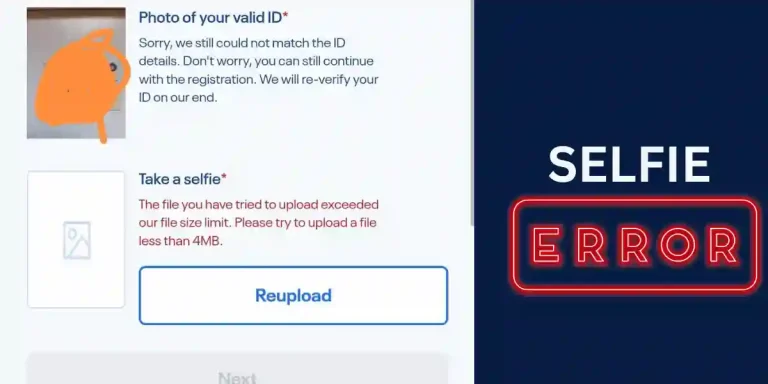
Selfie Upload Problem: You might not be able to upload your selfie during SIM registration. This is because you cannot upload a picture or selfie larger than 2MB. To address this issue:
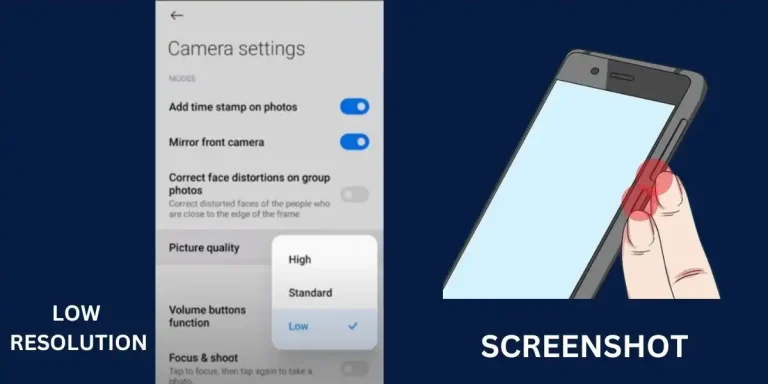
- Before taking a selfie, adjust your phone camera settings to capture photos in low resolution.
- If you are uploading your picture, take a screenshot of the captured image; it will reduce the size.
- If you still encounter issues while uploading the image, compress your image using an image compressor like ImageCompressor.
- Your photo must be in PNG, JPG, PDF, or HEIC format. You can use any online converter for this purpose.
Incorrect Information: Fill all the information correctly like mobile number, the OTP code you receive during registration, your name, id card number and verify all spelling mistakes. Registration can fail during tm or globe sim registration process due to incorrect information.
In the same way, upload a clear picture of your valid ID card or driver’s license or any other accepted ID. Its size should also be less than 2 MB. You can apply the same photo compression method as given above for the ID card as well.
Signal and Downtime Issues: You may face registration failure due to weak signals, a weak internet connection, or service downtime. If you encounter this issue repeatedly, try again after some time when the service and internet are working properly. If there are low signals in your area, register from a location with a strong signal.
To confirm your SIM registration, you can type SIMREG and send it to 8080. You will receive a confirmation message.
Important Note
The SIM registration deadline was December 27, 2022. You will not be able to register old SIM cards after July 30, 2023. To address this, get a new SIM and register it immediately.

Para maka tawag at maka usap ang relative